


TeamFun.events brings people together through smart games that inspire connection and celebrate achievements through shared experiences.
.svg)
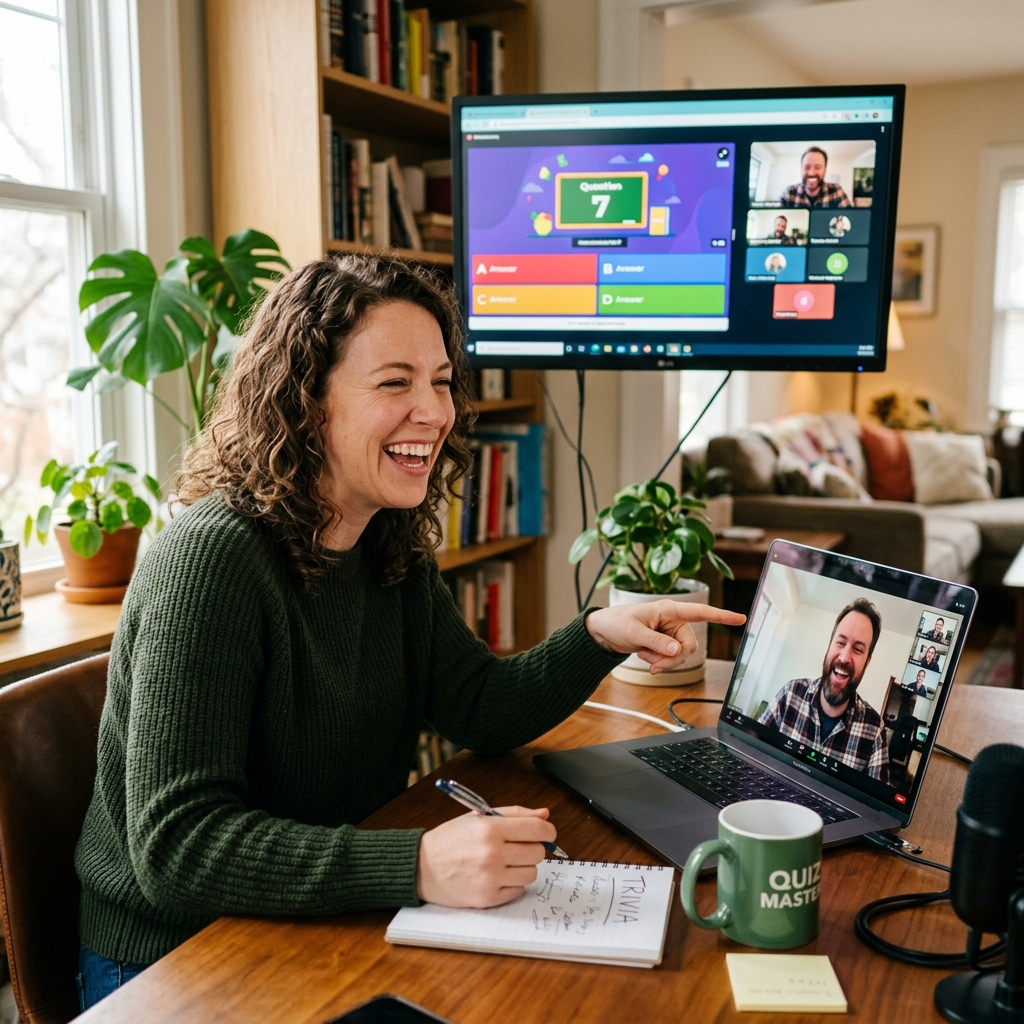
Connecting scattered team members online can feel incredibly tough. Truth is, staring at a grid of silent faces on a video call rarely sparks genuine connection. But we're going to change that today.
Hosting a virtual trivia session actually builds real workplace unity.
This guide shows you exactly how to plan an event that takes your crew from awkward silence to roaring laughter. You'll discover highly effective ways to energize your teams through fun, collaborative activities.
Look, virtual trivia games do a whole lot more than just spark joy. They actively reduce the isolation of remote work, giving your staff the necessary breathing room to just chat and laugh together. According to a study by Buffer, 20% of distant workers feel lonely. A well-crafted game solves this instantly. Your team members will cooperate to solve creative challenges, and this shared experience drives serious employee engagement. We help you build trust.
Workplace communication usually takes a massive hit when teams don't share a physical office. Daily meetings usually focus strictly on business tasks.
Staff desperately need casual moments to connect.
What most people miss is that a digital trivia night offers the perfect mental break. It lets individuals share weird, unique knowledge they'd never bring up in a marketing sync. Plus, this friendly contest helps even your shyest staff members talk.
You'll notice a fast lift in workplace morale. People return to work with fresh, contagious energy. That positive shift makes the planning effort completely worthwhile.
Are you ready to boost collaboration? Read our post about private quiz nights to learn more. It offers deep insights for Sydney office leaders.
Successful trivia sessions require dead-simple video software and reliable polling tools. I've seen too many events crash and burn because the tech was too complicated. We suggest using Zoom for your live video stream, combined with intuitive scoring tools to track points. According to Gallup, engaged business units show high profit. This straightforward setup keeps the gameplay smooth and keeps your staff totally focused on the fun.
Everyone can participate easily from any location.
Good technology forms the absolute backbone of your digital gathering. Pick a meeting tool that your staff already knows intimately. This step avoids wasting twenty minutes on frustrating troubleshooting.
You should test audio and video before starting. Send clear joining links to everyone well in advance. Include simple instructions on how to use the quiz platform.
Here's the thing: you might want to consider hiring a professional host to run the game. Our Quiz, please! package handles literally everything for you. This allows you to actually sit back and play along.
Want to see how to organize things perfectly? Read how to organise an online team building quiz today for the exact details. It will save you hours of planning time.
Selecting perfectly balanced trivia topics ensures that every single employee feels included. Mix up general knowledge with pop culture, music, and highly specific local facts. Why? Because this variety allows completely different team members to shine.
Avoid super niche themes that might exclude some of your players. From what I've observed, our team-building experts design rounds that appeal to wildly diverse groups. Your staff will absolutely love working together to find the answers. Keep the tone incredibly light to keep interest high.
We recommend using five distinct rounds.
Each round should focus on a totally different subject. This exact structure keeps the game moving rapidly so nobody gets bored.
Try adding a custom round about your own company history. Ask funny questions about inside office jokes. Your staff will deeply appreciate this personal touch.
Include a picture round to test visual skills. You can also add fun audio clips for a music round. Check our guide to the top online quiz games for inspiration.
Just don't make the questions too hard. The goal is to promote team building and laugh together. Keep the difficulty moderate to avoid player frustration.
Learn How to Host a Remote Team Quiz Your Staff Will Love. We highly recommend a dead-simple three-step approach for your event. First, group staff into small teams to quickly build bonds. Second, use a ridiculously lively host to keep the energy high. Finally, offer fun rewards to celebrate team success.
This formula completely transforms any standard corporate call. Your employees will actually talk about the event happily the next day.
Create your teams before the event even starts. Mix people from totally different departments who rarely speak to each other. This specific strategy builds surprisingly strong cross-company relationships.
Set very clear rules at the beginning of play. Explain exactly how players can submit their answers.
Keep the rules simple.
Use breakout rooms for intense team discussions. This gives smaller groups a safe, quiet space to talk, naturally creating true collaboration and friendly debate.
Read our guide on how to host the best online quiz for insider tips. It'll help you plan a completely smooth experience. Your workers will thank you.
Trivia isn't the only way to connect scattered staff. Have you ever considered throwing them into a digital crime scene? Options like virtual detective mysteries and high-stakes simulations work incredibly well.
These activities challenge your players to solve complex, layered problems together. They teach vital skills like clear communication, active listening, and high-pressure negotiation. Our team offers several collaborative formats for businesses, meaning you can easily find the perfect fit. We make the setup incredibly easy for event planners. This variety keeps staff happy.
Consider our interactive Detective games for your next meeting. Players work as actual investigators to solve a bizarre crime. This game intensely tests critical thinking and team communication.
We also offer highly engaging Business simulations for corporate training. These help staff practice valuable negotiation skills. Teams absolutely must cooperate to win under pressure.
Perhaps you want to try a music battle instead? Our Button Battle game brings incredibly fast buzzer action to your screens. It creates a genuinely lively, chaotic game show experience right from the office chair.
No matter what game you choose, focus heavily on participation. Encourage everyone to share wild ideas and laugh together. This builds deep, lasting trust among your workers.
Evaluating your digital gathering ensures you keep improving the experience for your team. But how do you actually know if they liked it?
You can easily gather employee feedback using lightning-quick surveys. Look for positive comments about connection, morale, and overall fun. High participation rates also clearly show that your staff truly enjoyed the session. This valuable data helps you justify future team-building events to higher-ups. We always focus on positive employee outcomes. Happy teams just work better.
Send a brief survey immediately after the game ends. Keep it to exactly three basic questions to guarantee a good response rate. Ask staff what rounds they liked best.
Use this feedback to plan your next gathering.
You'll find exactly what topics worked well. This helps you choose significantly better games next time around.
Read our post about measuring ROI for deep analysis on this. It helps you show undeniable value to management. You can justify your event budget quickly.
In my experience, every digital event teaches you how to improve. Your planning skills will grow with each game you run. Soon you'll host events like a seasoned expert.
We've compiled the most common questions about remote trivia below. Read on to find answers to your questions. These quick tips will ensure your success.
We highly recommend keeping your team trivia game under sixty minutes. This short timeframe completely prevents mental fatigue for your staff members. A brief, punchy session fits perfectly into busy work schedules without feeling like a chore.
Aim for groups of four to six players. Because this intimately small size allows every single person to share answers confidently. It naturally prevents those louder, more extroverted players from entirely dominating the group discussion.
You can absolutely run the trivia session yourself using basic tools. However, hiring a professional host allows you to actually relax and participate. Our team manages all the frustrating tech and entertainment details for you.
The reality is, people will try to Google things. Combat this by using fast-paced questions that severely limit their time to search web pages. You can also focus on creative questions that require deep reasoning instead of raw facts. Designing custom rounds specifically about your company history prevents cheating entirely.